
🎉 What's new
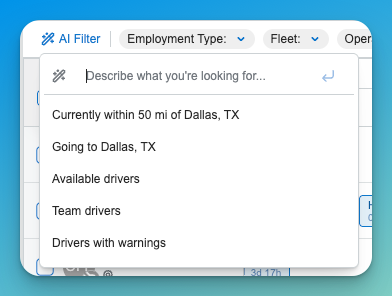
AI Assistant
A new AI assistant is available to help with tasks in context — including creating and editing view filters and automation rules without leaving the page you're working from. Applying a new AI-created filter now preserves any filters you already had in place, rather than clearing them.
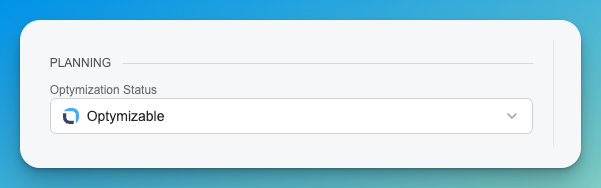
Driver Optimization-Eligibility Flag
Drivers can now be flagged as ineligible for optimization. Non-optimizable drivers are marked with a clear icon, and the flag is included in driver import/export.
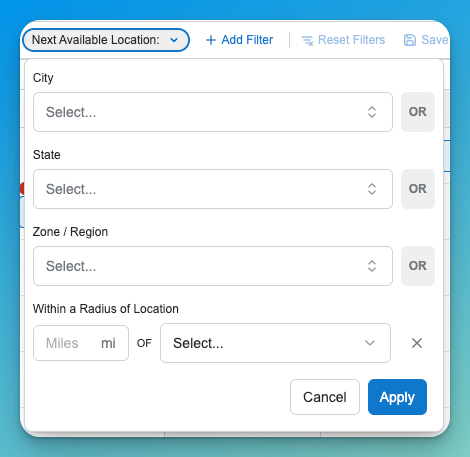
Radius-based Location Search
Radius (proximity) search is now available everywhere you filter by location — Loads, Trips, Drivers, Tractors, and Trailers all support searching within a distance of a point, not just by exact location or state. Matching Rules also include the same location filters now as well.
Load-over-Time Off eligibility controls
You can now control, at the trip and driver level, whether a trip is allowed to run over a driver's scheduled time off. This is enforced consistently across planning, bulk edit, and CSV import.

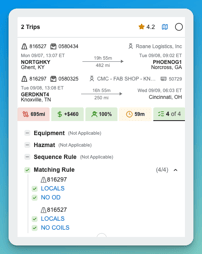
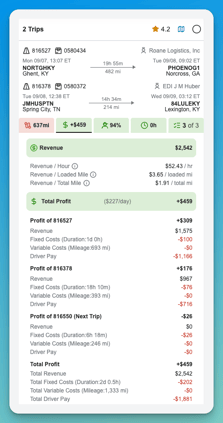
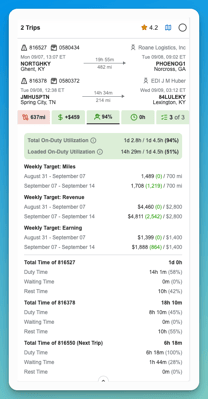
Reworked recommendation card
The Revenue, Utilization, and Rules sections of the recommendation card have been redesigned with clearer labels and metrics, making it easier to compare scenarios and understand why a recommendation scored the way it did.
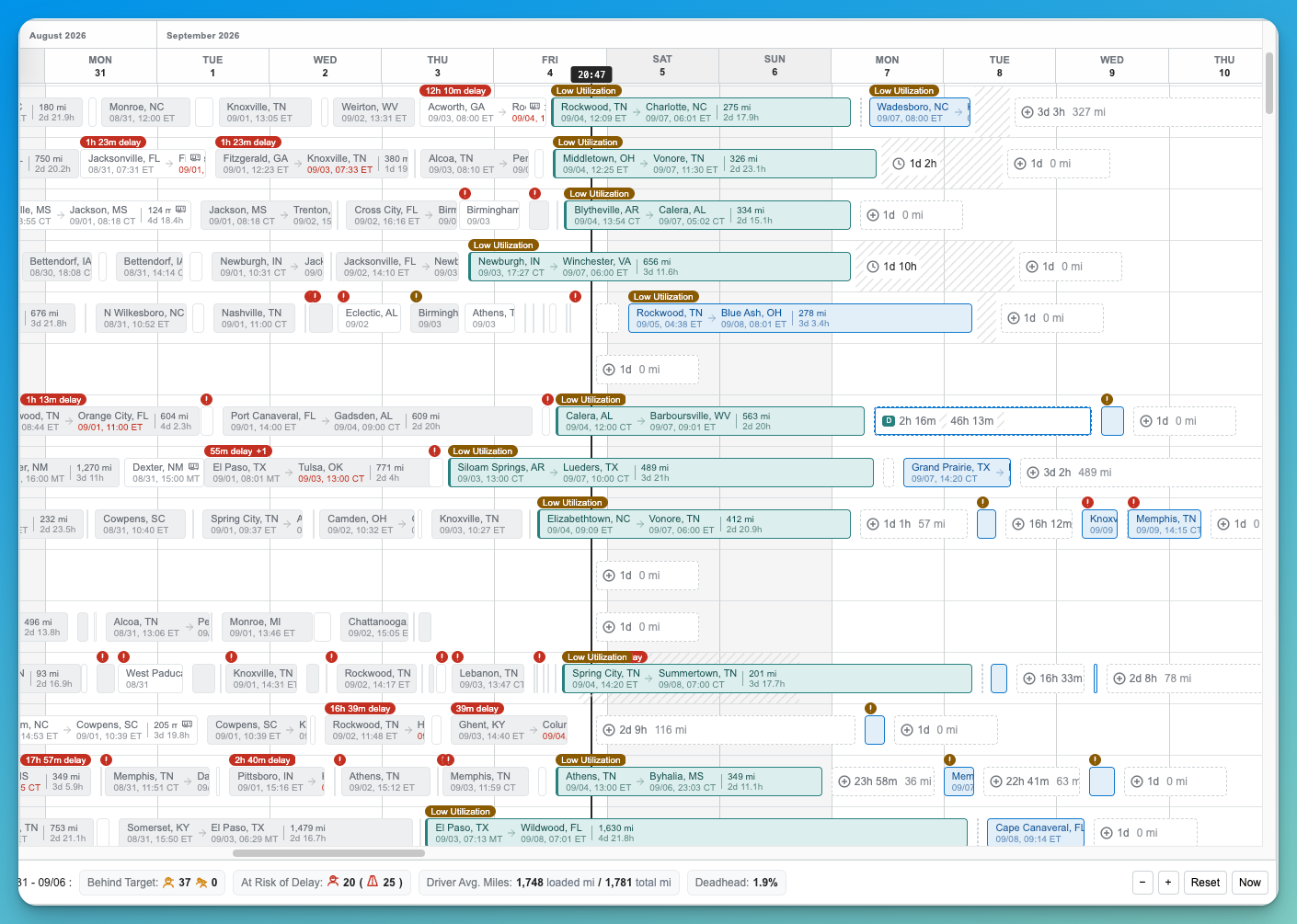
Redesigned Dispatch timeline
The Dispatch timeline has a implementation with smoother zooming and rendering.
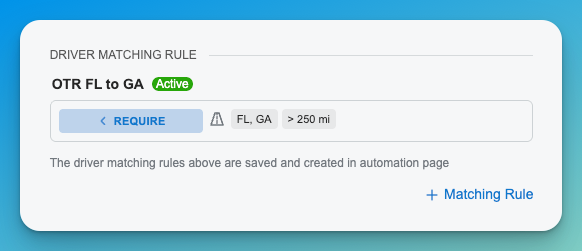
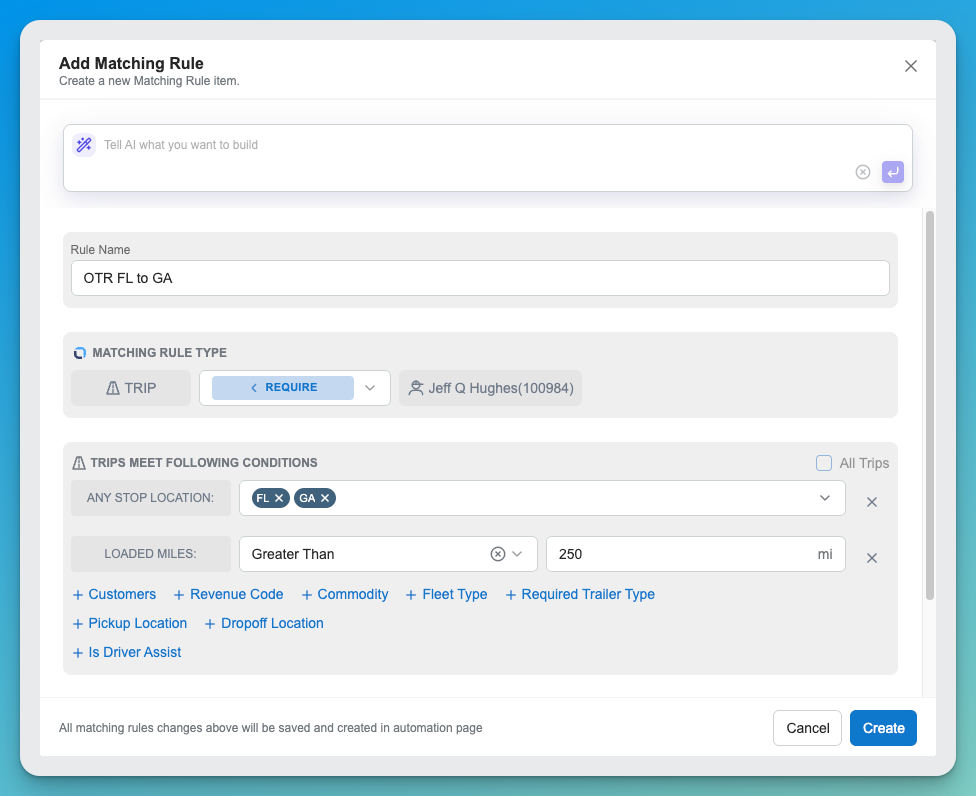
Driver-specific and Advanced matching rules
Matching rules now support more advanced location filtering, plus rules scoped to an individual driver — useful when a rule should apply to one driver rather than a whole fleet or zone.
Improvements
- Grids and detail panels now have a refresh button to pull the latest data without reloading the page.
- Column order in the Dispatch grid now persists between visits.
- Multi-select dropdowns show more of your selected values before collapsing into a count.
- Driver and load editing panels have a cleaner, more consistent layout.
- Scenario KPI definitions and comparison views are more consistent when comparing scenarios.
Questions about anything in this release? Your Customer Success contact is the fastest route.