
🎉 What's new
Load Over Vacation is now supported everywhere you plan
You can now plan trips that run over a driver's scheduled time off across the full planning flow — optimization, recommendations, evaluation, and saving back to your TMS — not just in select views. Driver eligibility, empty-mile handling, and KPI reporting all reflect this consistently, and the setting now carries over correctly when you copy a scenario.
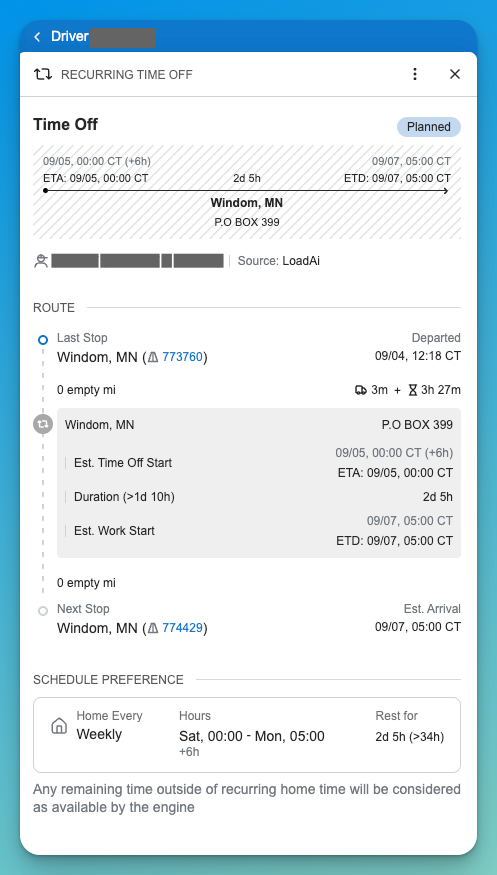
New: Time Off side panel
A new side panel shows time-off details and KPIs at a glance, including route context, so you can see the full picture of a driver's time off without leaving your plan.
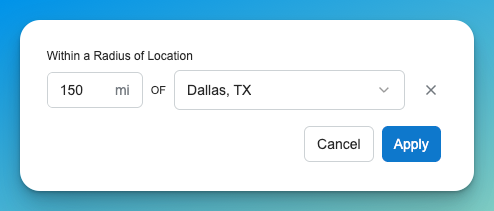
Radius-based location search everywhere
You can now search by radius around a location in every location filter across the app — Dispatch, Trips, and general location filters all use the same search experience.
Trailer compatibility now follows a clearer precedence
When a load's required trailer type and a commodity's allowed trailer types disagree, LoadAi now consistently favors the commodity's rule and shows a warning instead of silently picking one. Empty-trailer cases are also now handled explicitly rather than being inferred.
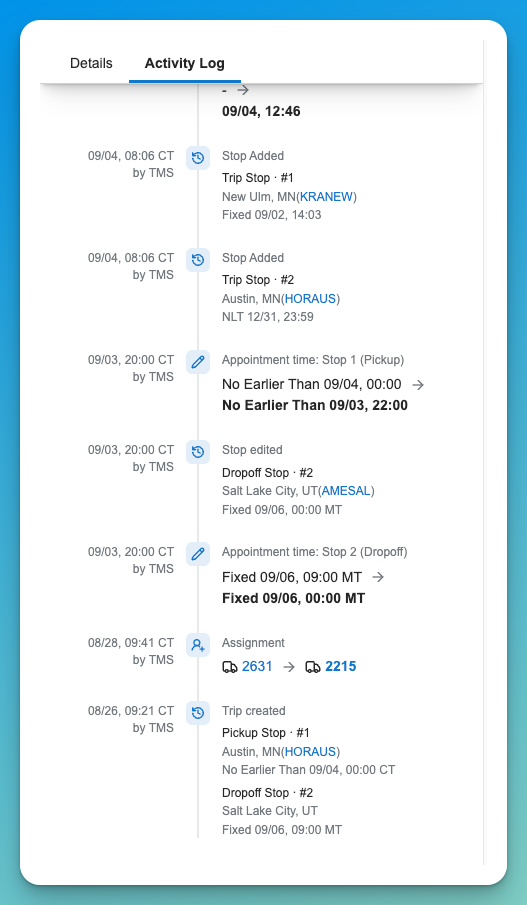
Trip history now shows stop additions
When a stop is added to a trip, the audit history now shows a clear "Stop Added" entry with the stop details, instead of mixing it in with other trip-rebuild activity.
Smoother Dispatch Gantt hover behavior
Tooltips and time-off pucks on the Dispatch Gantt are less jumpy, with adjusted timing and spacing on hover.
Questions about anything in this release? Your Customer Success contact is the fastest route.