
Overview
A Network Design Study defines the dataset and parameters used to analyze your freight network. Each study represents a simulation environment where the system evaluates historical loads to determine optimal lanes, bid opportunities, and tour structures.
Users can create multiple studies to evaluate different time ranges, equipment types, or operational scenarios.
When to Use It
Create a Network Design study when you want to:
-
Analyze freight activity over a specific time period
-
Evaluate a specific equipment type, fleet, or carrier volumes
-
Run network optimization for strategic planning
-
Prepare for contract bidding cycles
Step-by-Step Instructions
-
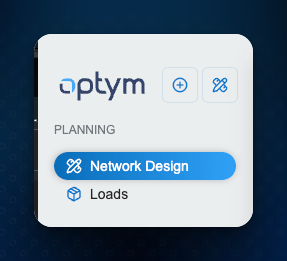
Navigate to the Network Design module.
-
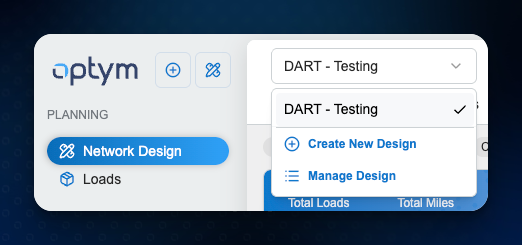
Click Create New Design.
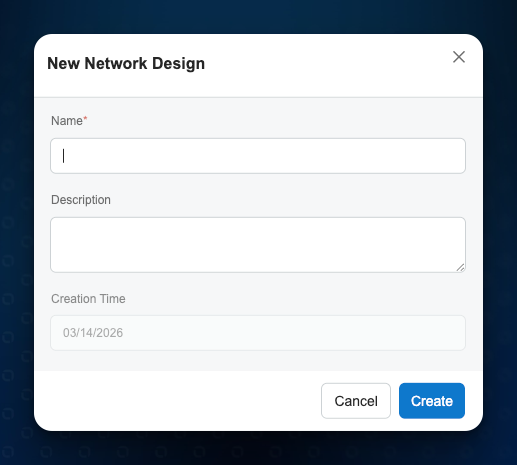
- Name the Network Study
-
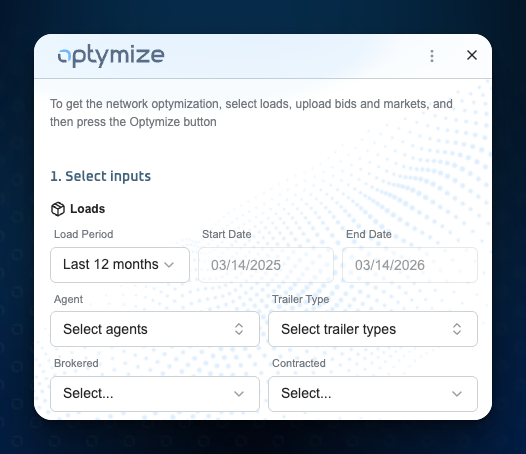
Select the the subset of loads to analyze.
Example: Last 12 months/Contracted
-
Confirm or adjust the Start Date and End Date.
-
Apply optional filters if needed:
-
Agents
-
Trailer Types
-
Brokered vs Contracted loads
-
-
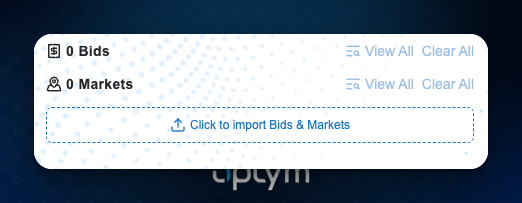
Import the Markets and Bids to analyze (Bids are Optional for this step)
-
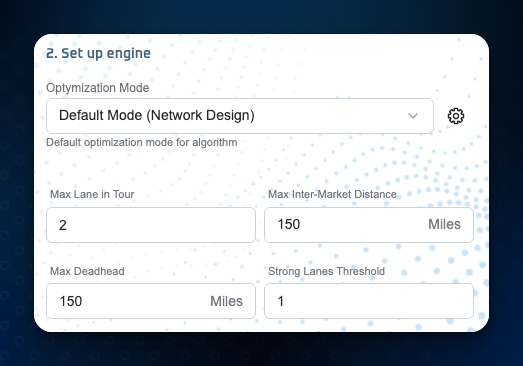
Select the Engine Mode settings for the study
-
Proceed to Run Optimization.
Once optimization runs, the system will generate lanes, cycles, bid opportunities, and market insights.
Tips or Notes
-
Multiple studies can be created to compare different network scenarios.
-
Using a longer historical timeframe typically produces stronger lane patterns.
-
Filters should only be applied if analyzing a specific operational segment.